MultiCode Cloud Dev
A downloadable tool for Windows
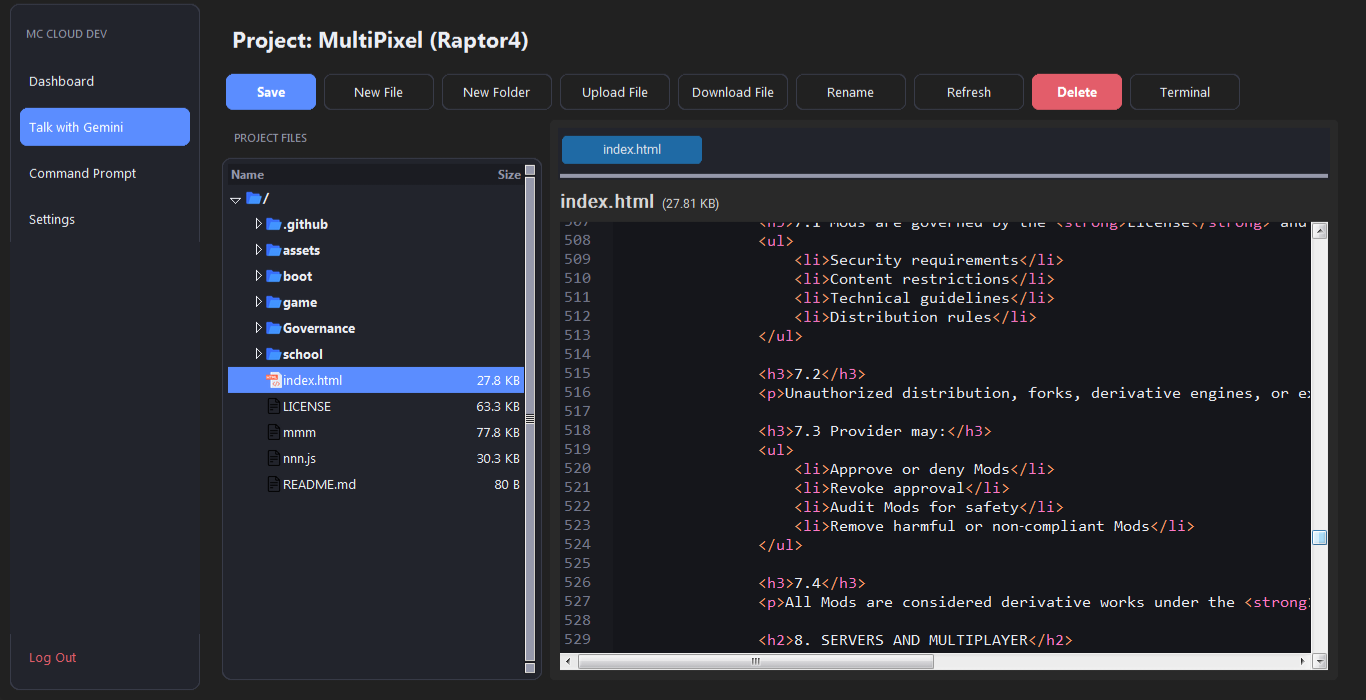 MC Cloud Dev App Version 1.01
MC Cloud Dev is a cloud-based console you can use anonymously, and save your code through the cloud privately, you can even use it for typing normal text!
MAIN FEATURES OF MCCD 1.01
- Updated Command Prompt
The Command Prompt can now join directories (for ex: MCCD\MultiCode Labs\Folder>)
Added many directory commands like mkdir, cd, ls, etc
Command Prompt can be summoned inside the code editor area, by clicking on the "Terminal" button.
Command Prompt now stores command data you've inputted after you leave the window, instead of forgetting the command data.
Main Command Prompt is now full-screen, you can exit using the "Dashboard" button.
- Updated GUI And Icons
- Added icons for the following:
Java files
HTML files
Lua files
Python files
Text files (or unrecognized variants)
Folders
- GUI Update:
Each button now has a thicker, more modern accent, not overlapping with the background color
Added Loading animation when action is ongoing (for ex: refreshing the Dashboard)
- Updated Settings
The Settings section can now do:
Delete User Data
Delete Account (BETA)
Change Password
Change Username
- Added Command "/git pull" into Command Prompt
- You can now pull GitHub repositories (ONLY PUBLIC ONES ARE SUPPORTED.) and get files and folder straight from them (IF THEY ARE BELOW THE 20 MB SIZE LIMIT)
- Updated the "Talk with ChatGPT" button to "Talk with Gemini"
The API Key textbox for this section now only supports Gemini API Keys (it will use Gemini 3.5 Flash)
Support for Linux devices will come soon (as a .deb file)
Comment on this post for bugs and issues and it will be dealt with eventually.
Supports Windows 7 and Above.
Check Our Discord for early updates!
Our Discord: MultiCode Labs Discord
Download
Install instructions
Download the .exe file
Windows may show a protection warning because this app is new.
To Run:
1. Click "More Info"
2. Click "Run Anyway"
This is normal for new apps without a digital signature.
Double-Click the file, and make your account (the email doesn't have to be real!)
After that, you're good to go!
Thank you for your attention.
Development log
- MC Cloud Dev Update 0.2.2Apr 16, 2026
Leave a comment
Log in with itch.io to leave a comment.